

Smart IPTV, often called SIPTV, is a long-running IPTV player for Samsung, LG and Android-based TVs. It is popular because it runs directly on many Smart TVs without a Firestick. This guide covers which TVs support it, how to upload your playlist step by step and how to fix the errors Canadian users run into most. Every Smart IPTV step below follows the developer’s own instructions. For more background, see the official Smart IPTV website.
What is Smart IPTV?
Smart IPTV is a player only. The developer states clearly that it includes no channels and that requests for channel lists are ignored. You load an M3U playlist from your IPTV provider, and the app shows it as live TV channels.
Which TVs support Smart IPTV?
| Device | Supported |
|---|---|
| Android TV, Google TV and Fire TV | Yes |
| Samsung Tizen 6.5 or newer (2022 and later models) | Yes |
| LG webOS 3.0 or newer | Yes |
| LG Netcast and webOS 1.0 to 2.0 | Yes |
Older Samsung models are not on the list. For those, see IPTV on Samsung Smart TV or try SmartOne IPTV.
How to set up Smart IPTV, step by step
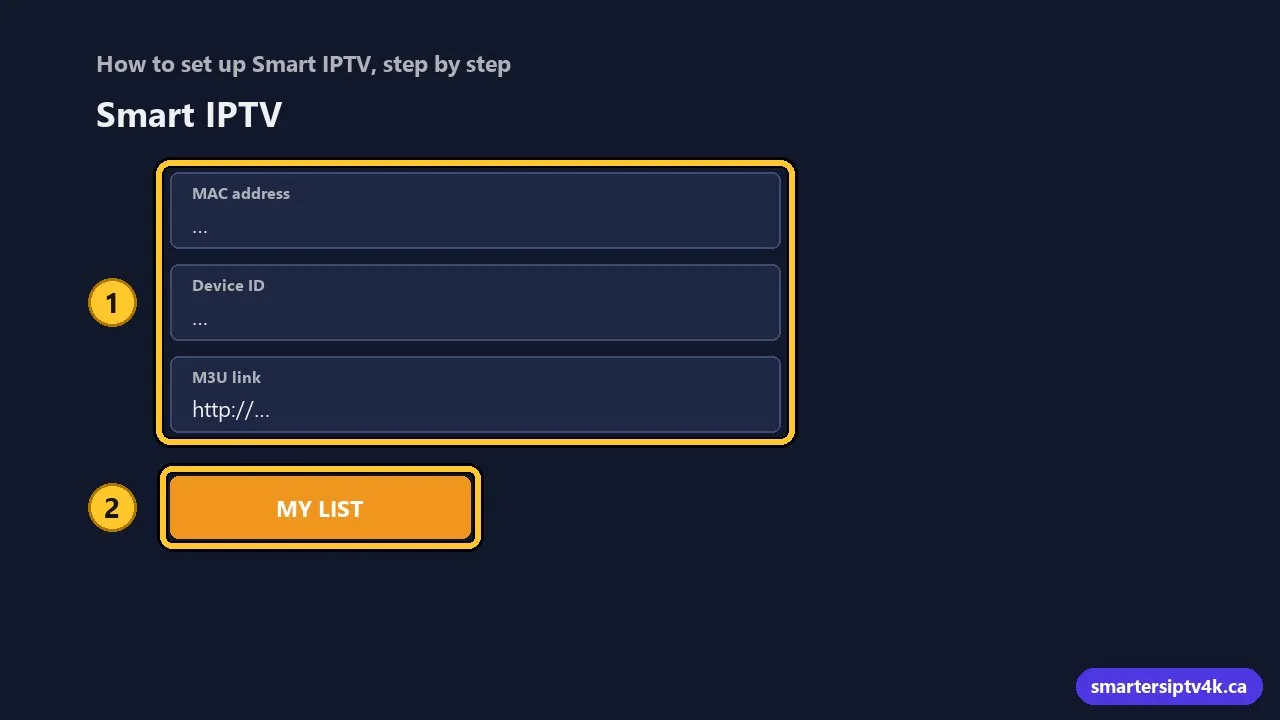
- Install Smart IPTV from your TV’s app store.
- Open it and write down the MAC address on the screen. On Android 13 or newer, or if you installed it from Google Play, the app shows a temporary Device ID instead.
- Get your M3U link from us on WhatsApp, or ask for the 24-hour free trial.
- On your phone or computer, open the My list page on siptv.app (siptv.app/mylist/).
- Enter the MAC address or Device ID, paste the M3U link and send it.
- Restart the app on the TV. Your channels will appear.
New to M3U links? Read what is M3U in IPTV.
Is Smart IPTV free?
The app has a trial period, then a one-time activation paid to the developer. Check the current price on the official site before paying. The activation only unlocks the app: it does not include channels.
Common Smart IPTV errors
- Empty list or “no playlist”: check the MAC address or Device ID and upload again. If the link will not load, the official FAQ suggests opening it in a browser and uploading the file as a static playlist.
- Freezing during games: use Ethernet or 5 GHz Wi-Fi. See buffering fixes.
- New TV: the playlist is tied to the MAC or Device ID, so upload it again with the new TV’s code.
Comparing players? See the best IPTV apps for Smart TV in Canada.
Smart IPTV: frequently asked questions
Does Smart IPTV come with channels?
No. It is a player. You need a playlist from an IPTV provider.
Where do I upload my Smart IPTV playlist?
On the My list page of the official site, siptv.app/mylist/, using your TV’s MAC address or Device ID.
Does Smart IPTV support Xtream Codes?
Smart IPTV works with M3U playlists. If your provider gives you Xtream details, ask for the M3U link. We send both.
Is Smart IPTV good for Firestick?
It works, but on Firestick most people prefer IPTV Smarters or TiviMate. See IPTV Smarters on Firestick.